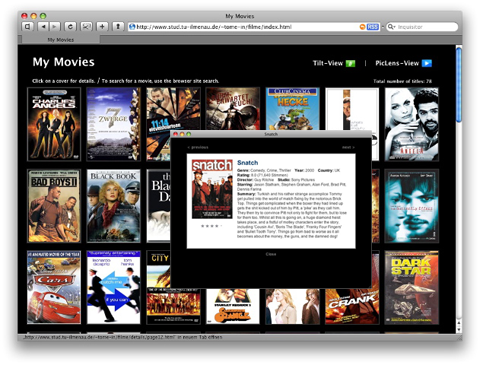
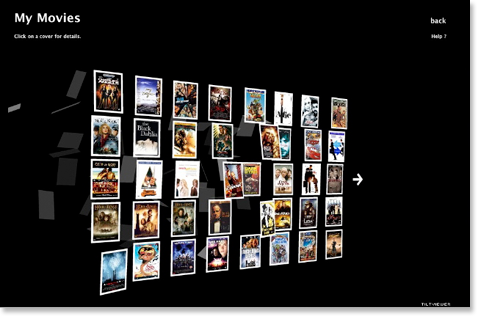
This DVDpedia template, written by DVDpedia user Torsten Mess, author of the LeoTab info view template, is based on the ChiScuAdam and
KuzDVDCovers templates but he's added some nice twists of his own.
This template does 4 different exports in one: one for the web page, one for the details and two XML files for the TiltViewer and PicLens views, of which the PicLens includes thumbnails for the covers.
Once you've done the export, you have the choice to view your collection the regular way with a details window that pops up (screenshot 1) or if you're on Firefox you can swoosh through your collection super fast with PicLens (screenshot 2) or use TiltViewer to see many entries at once from different angles but still get a detail view (screenshots 3 & 4). You really have to see this template in action to appreciate its 'wow' factor.
Thank you to Ange for the new French version, now included with the installer.
Note: You need to have the latest version of Flash as well as the PicLens plug-in installed. (The PicLens plug-in has extended functionality in Firefox but does work in Safari as well.)